Team Fortress 2: Steam - Standard
Ownership: Missing Features
What it means: You can own the product, but some features might be unavailable due to online services shutting down.
Release Date: 10/10/2007
Is it still being produced?: Yes
Article Created By:

Last Modified: Friday, 07 August 2026 04:26 UTC
Last Edited By:
.svg)
More Information:
Table Of Contents
As of right now, Team Fortress 2 on Steam remains to be the most up to date version of the game. Where nearly all the weapons and cosmetics introduced through various updates to the game are present.
System Requirements
Windows
| Minimum Requirements | Recommended | |
|---|---|---|
| Operating System* | Windows 11/10/7/Vista/XP | Windows 11/10 |
| Processor | 1.7 GHz Processor or Better | Pentium 4 Processor (3.0GHz or Better) |
| Memory | 512 MB Ram | 1 GB Ram |
| DirectX | Version 8.1 | Version 9.0c |
| Network | Broadband Internet Connection | Broadband Internet Connection |
| Storage | 15 GB | 15 GB |
Note: Steam Client No Longer Works with versions earlier than Windows 10.
Linux and Steam OS
| Minimum Requirements | |
|---|---|
| Operating System | Ubuntu 12.04 |
| Processor | Dual Core from Intel or AMD at 2.8 GHz |
| Memory | 1 GB RAM |
| Graphics | nVidia GeForce 8600/9600GT, ATI/AMD Radeon HD2600/3600 (Graphic Drivers: nVidia 310, AMD 12.11), OpenGL 2.1 |
| Network | Broadband Internet connection |
| Storage | 15 GB available space |
| Sound Card | OpenAL Compatible Sound Card |
Both Windows and Linux steam requirements were taken from the Steam Store Page.
How to play on Mac
One way to play on a Mac PC now a days is to use a program called CrossOver by CodeWeavers, which requires users to pay for either 12-months of support or a no-refund policy one-time purchase. Here is a tutorial by Mac Gaming Revolution to explain how to install it on your Mac PC:
Another option is to use a freeware program called Sikarugir, a Wrapper project that is a continuation of Wineskin. The program works from macOS 10.15.4 or Later. You can download it from the creator's GitHub repository.
Can the game be played offline?
You can play games against computer AI bot opponents with computer AI teammates. You can do this by hosting a server or playing in the Offline Practice mode.
Features that require online capabilities
Item Server
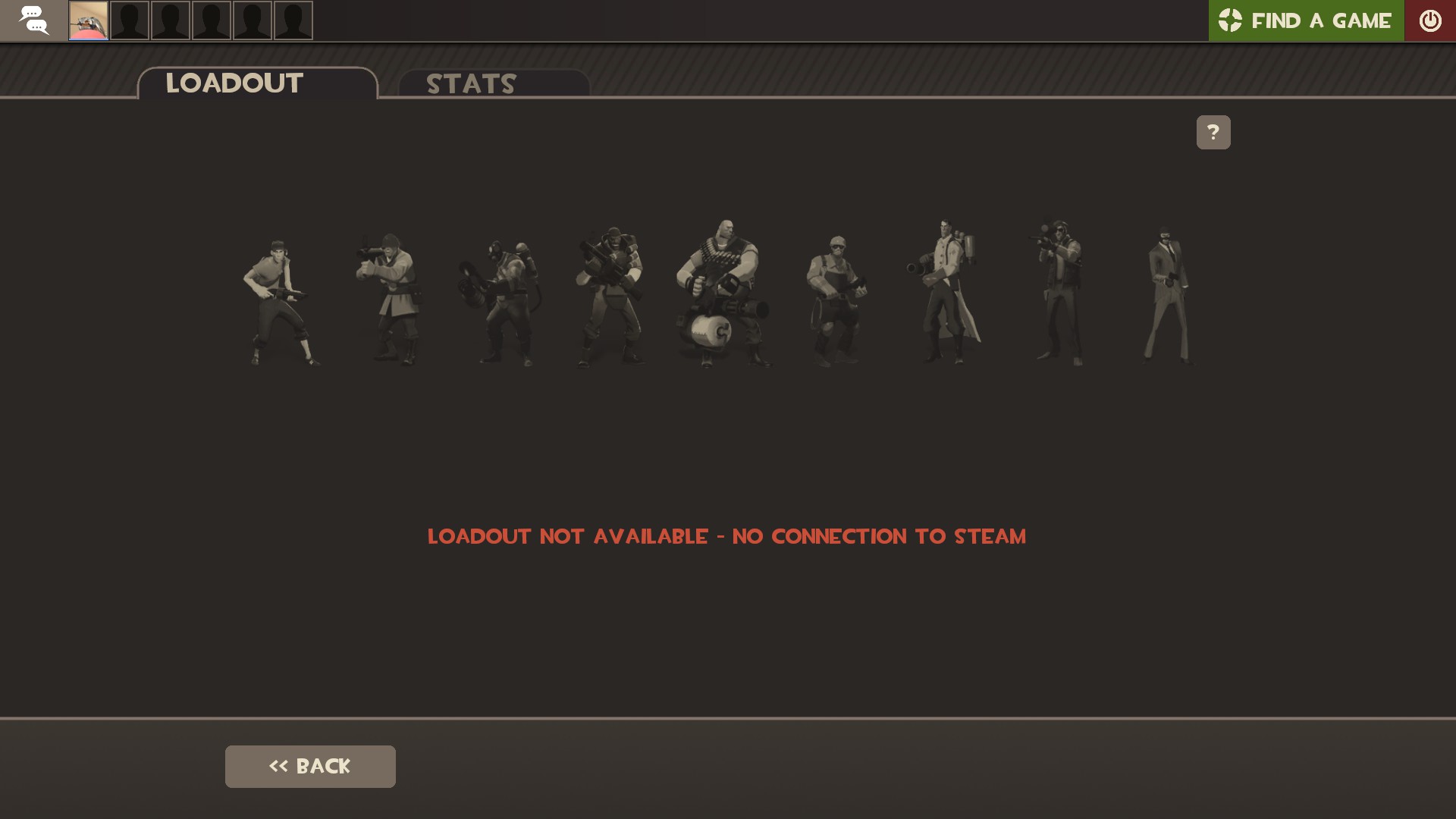
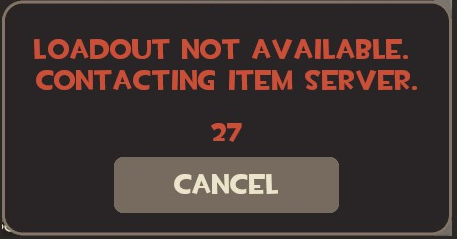
Team Fortress 2 holds all cosmetic items and all unlockable/findable weapons on an item server. These items can only be used if the user is currently online and the item server is also online. Team Fortress 2 Wiki has an article with all the weapons in the game, where the Stock weapons are the only ones that are available offline.
 No Connection To Steam
 Popup Window Trying to Access Loadout with No Item Server Connection
Online Matches in Official and Player Hosted Servers
With both official server and player hosted servers. You will need an online connection for both.
Hosting Servers
Team Fortress 2, along side many other Source Engine games, no longer use a Dedicated Server application to run different servers. Instead, they have a program called SteamCMD.
Tutorials on how to host Team Fortress 2 Dedicated Servers
Windows Dedicated Servers
https://wiki.teamfortress.com/wiki/Windows_dedicated_server
Dedicated Server Configuration
https://wiki.teamfortress.com/wiki/Dedicated_server_configuration
Steam Developer Wiki Article on SteamCMD
https://developer.valvesoftware.com/wiki/SteamCMD
This will hopefully give more information if you want to run
Is the game Modable?
Very much so. The entire player driven economy relies upon custom maps, player created cosmetics, weapons, and custom game modes.
Modable with custom models, sounds, textures, etc.
Note: Custom models, skins, textures, etc. do not work in Casual game servers. You can only use them in hosted servers that sv_pure set to 0.
Custom Maps
You can download plenty of maps using the workshop subscribe option. However, you can also download and place downloaded maps (.bsp files) into:
C:\Program Files (x86)\Steam\steamapps\common\Team Fortress 2\tf\maps or if you want to be official: C:\Program Files (x86)\Steam\steamapps\common\Team Fortress 2\tf\download\maps.
Go to console and type in: map {map_name} in order to play the map on your own PC.
To host custom maps, you will need to set the maps inside of the server that you are currently hosting a Team Fortress 2 server in.
Custom Models, Sounds, Textures, etc.
You can set custom models, sounds, textures, etc. as VPK files which are usually downloaded through sites like Gamebanana.
You can set these into the following directory:
C:\Program Files (x86)\Steam\steamapps\common\Team Fortress 2\tf\custom
There will be a readme.txt file that will explain into further detail how to upload VPK files and give more detail about them.
Tutorials for making custom models, sounds, textures, etc.
Ankle Pain on GameBanana created a post on GameBanana that gives an overview on how to create custom models for TF2.
Additionally, usernamecipher on YouTube has a video on how you can create your own custom models for TF2 and match them with different current models in game.
Creating Custom Mod-games through the source code
On February 2025 the development team, or what's left of it, released the official SDK for the game in a recent blog post:
Some examples of games that have been created with the SDK include:
A Team Fortress 2 mod which is more of an a Quake-like arena shooter, where players fight each other with weapons they have found across the map instead of custom load-outs.
Initially conceived as a Vanilla version of Team Fortress 2, the game goes back to a time where instead of waiting in queue to find a server to play on, players host their own servers with custom rules and custom map rotations. The game has been updated to include their own custom weapons, including weapons that were removed from the initial beta like the Nail Gun for the scout and the Dynamite for the Demoman.
Images In Article